
Our verdict
Between the Hearth Display and the Skylight Calendar Max, we lean toward the Hearth Display — we rated it 10/10 versus 6/10. A game-changing family organizer that we check every morning—beats competitors with intuitive design and features kids genuinely love using.
Our pick
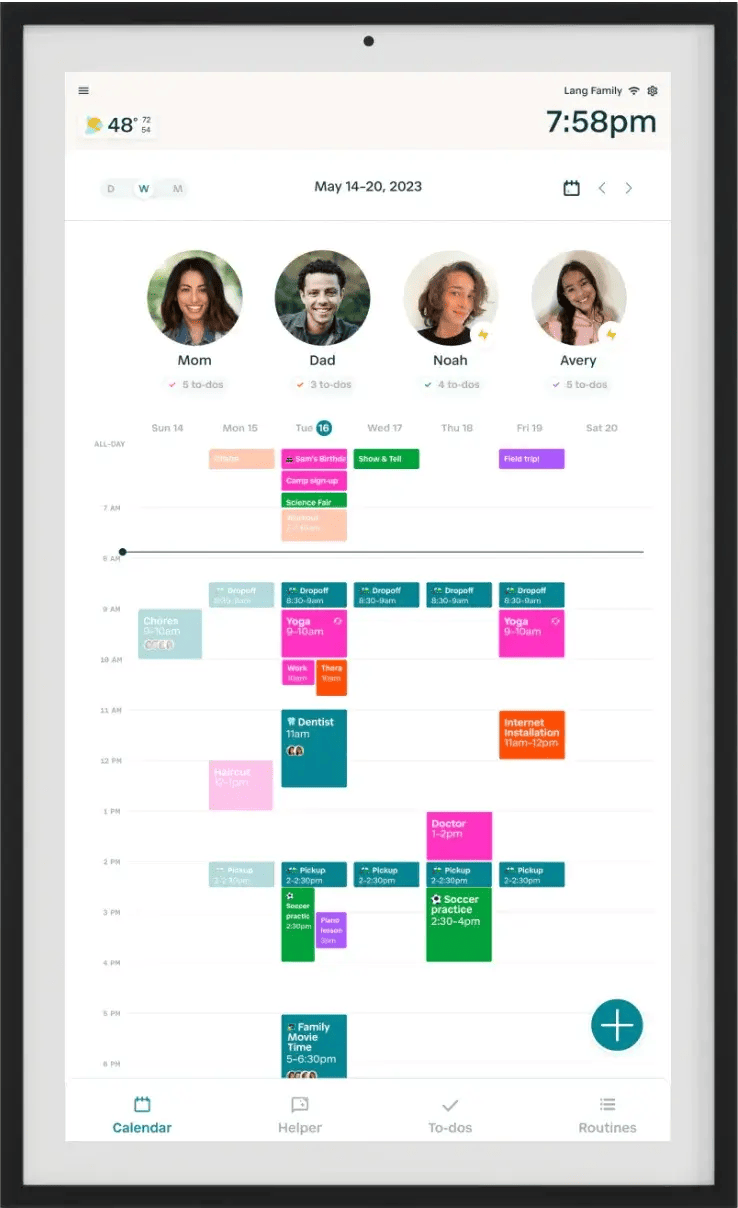
Hearth Display

Skylight Calendar Max


Side by side
| Attribute | Hearth Display | Skylight Calendar Max |
|---|---|---|
| Our rating | 10/10 | 6/10 |
| Best for | A game-changing family organizer that we check every morning—beats competitors with intuitive design and features kids genuinely love using. | Streamlines family organization with a clear display, but app dependency and basic interface limit its appeal. |
| App | App walks you through profiles and routines | Key features like profiles and toggling calendars need the app |
| Subscription | Basic free; premium is $9.99 a month | Plus membership needed for cloud backup and remote settings |
| Screen | Touchscreen anyone, even kids, can navigate | 27-inch touchscreen, 2560 x 1440 QHD |
| Setup | Mounted, on Wi-Fi and syncing within minutes | Designed to be straightforward; needs a nearby outlet |
| Price | $599, marked down from $699 | $569 |
| Standouts |
|
|
| Watch-outs | None we flagged |
|
Which one is right for you?
Choose the Hearth Display if…
A game-changing family organizer that we check every morning—beats competitors with intuitive design and features kids genuinely love using.
- Kids actually engage with routines and chores without constant reminders
- Intuitive touchscreen interface—even 6-year-olds can master it
Choose the Skylight Calendar Max if…
Streamlines family organization with a clear display, but app dependency and basic interface limit its appeal.
- Vibrant 27-inch QHD touchscreen display
- Syncs with multiple calendar platforms (Google, Apple, Outlook, etc.)
Why we rate them this way
Hearth Display — 10/10
A game-changing family organizer that we check every morning—beats competitors with intuitive design and features kids genuinely love using.
What we liked: Kids actually engage with routines and chores without constant reminders, Intuitive touchscreen interface—even 6-year-olds can master it, Seamlessly syncs with Google Calendar, Outlook, and iCloud, Color-coded custom profiles and customizable routines per family member, Teaches kids independence and responsibility while reducing parental mental load.
Skylight Calendar Max — 6/10
Streamlines family organization with a clear display, but app dependency and basic interface limit its appeal.
What we liked: Vibrant 27-inch QHD touchscreen display, Syncs with multiple calendar platforms (Google, Apple, Outlook, etc.), Doubles as digital photo frame when idle, Color-coded family member tracking, Mobile app enables remote schedule updates and notifications.
Worth knowing: Core functions like toggling calendars and creating profiles require the companion app, Basic Android interface lacks polish vs. Echo Show/Nest Hub, Installation requires recessed outlet to hide power cable, Initial calendar sync issues encountered during setup.
Common questions
Is the Hearth Display or the Skylight Calendar Max better?
We rated the Hearth Display 10/10 and the Skylight Calendar Max 6/10, so we lean Hearth Display — but it depends on what you want it for (see "which one is right for you" on the page).
What's the difference between the Hearth Display and the Skylight Calendar Max?
Short version — Hearth Display: A game-changing family organizer that we check every morning—beats competitors with intuitive design and features kids genuinely love using. Skylight Calendar Max: Streamlines family organization with a clear display, but app dependency and basic interface limit its appeal.