TL;DR — Warby Parker’s anti-fatigue lenses are a $100 lens upgrade that adds a subtle power boost to the bottom of the lens to ease eye strain from screens and reading. After wearing them daily for months, we think they genuinely work: end-of-day eye fatigue dropped off and we don’t want to go back. The catch is a real 2–3 week adjustment period (mild vertigo when you glance up quickly). Our rating: 4.3/5 — worth it if you spend 6+ hours a day on screens and get tired eyes. Skip it if your eyes feel fine after a long day already.
Are Warby Parker anti-fatigue lenses worth it? (The short answer)
Yes — after wearing Warby Parker’s anti-fatigue lenses every day for several months, we found they noticeably reduce end-of-day eye strain and headaches for anyone who stares at screens for hours. They cost about $100 as a lens add-on (on top of frames that start around $95), no extra prescription required, and they’re best for people who do a lot of near work: computers, phones, e-readers, and long reading sessions. The one honest tradeoff is a 2–3 week adjustment period where glancing quickly between near and far can feel slightly off. Push through it and most people, including us, end up not wanting to take them off.

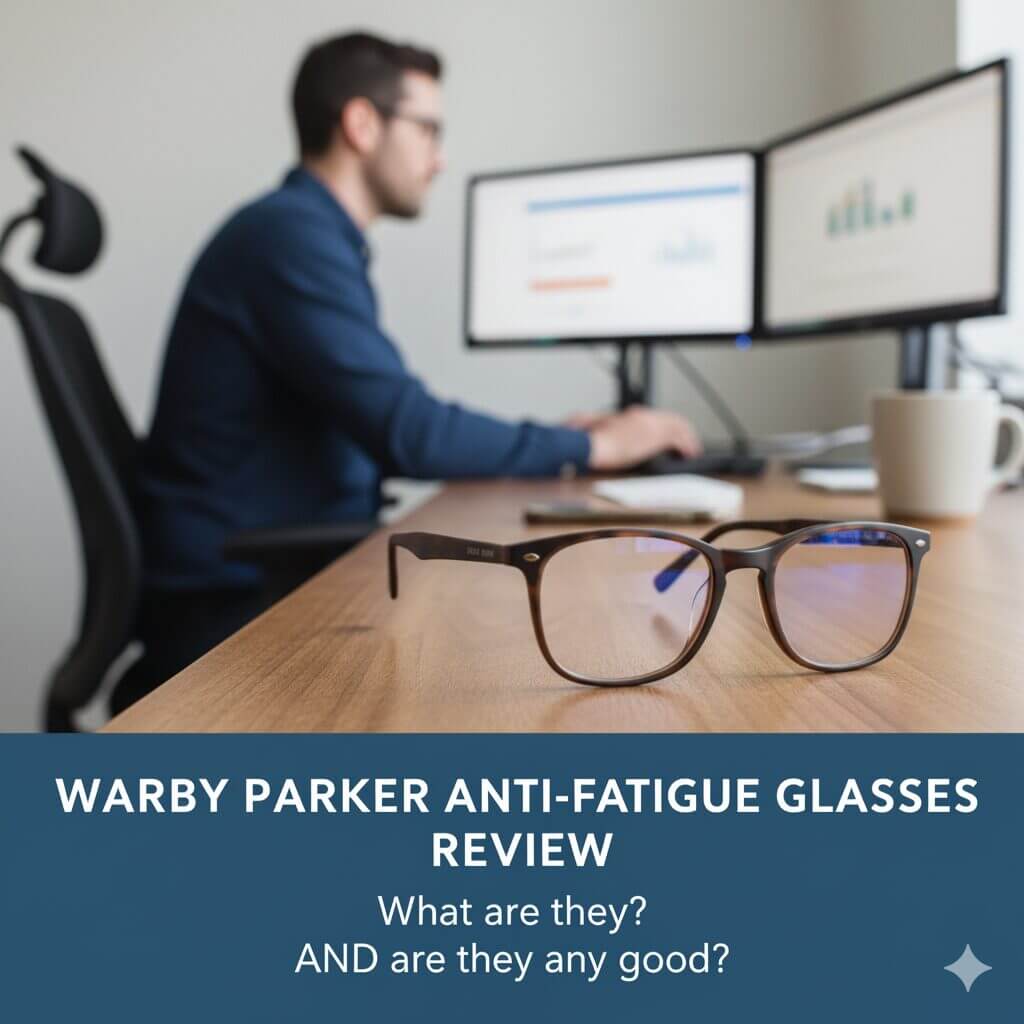
Designed for long days at the computer - or any screen - is a great option on Warby Parker glasses.
Quick Comparison
| Lens option | Price (2026) | Best for |
|---|---|---|
| Warby Parker Anti-Fatigue | +$100 add-on | Heavy screen + near-work users who get tired eyes |
| Warby Parker Blue-Light | +$50 add-on (often free in promos) | Glare/sleep concerns, lighter screen users |
| Standard single-vision | Included (~$95 total) | People whose eyes feel fine after a long day |
What are Warby Parker anti-fatigue lenses?
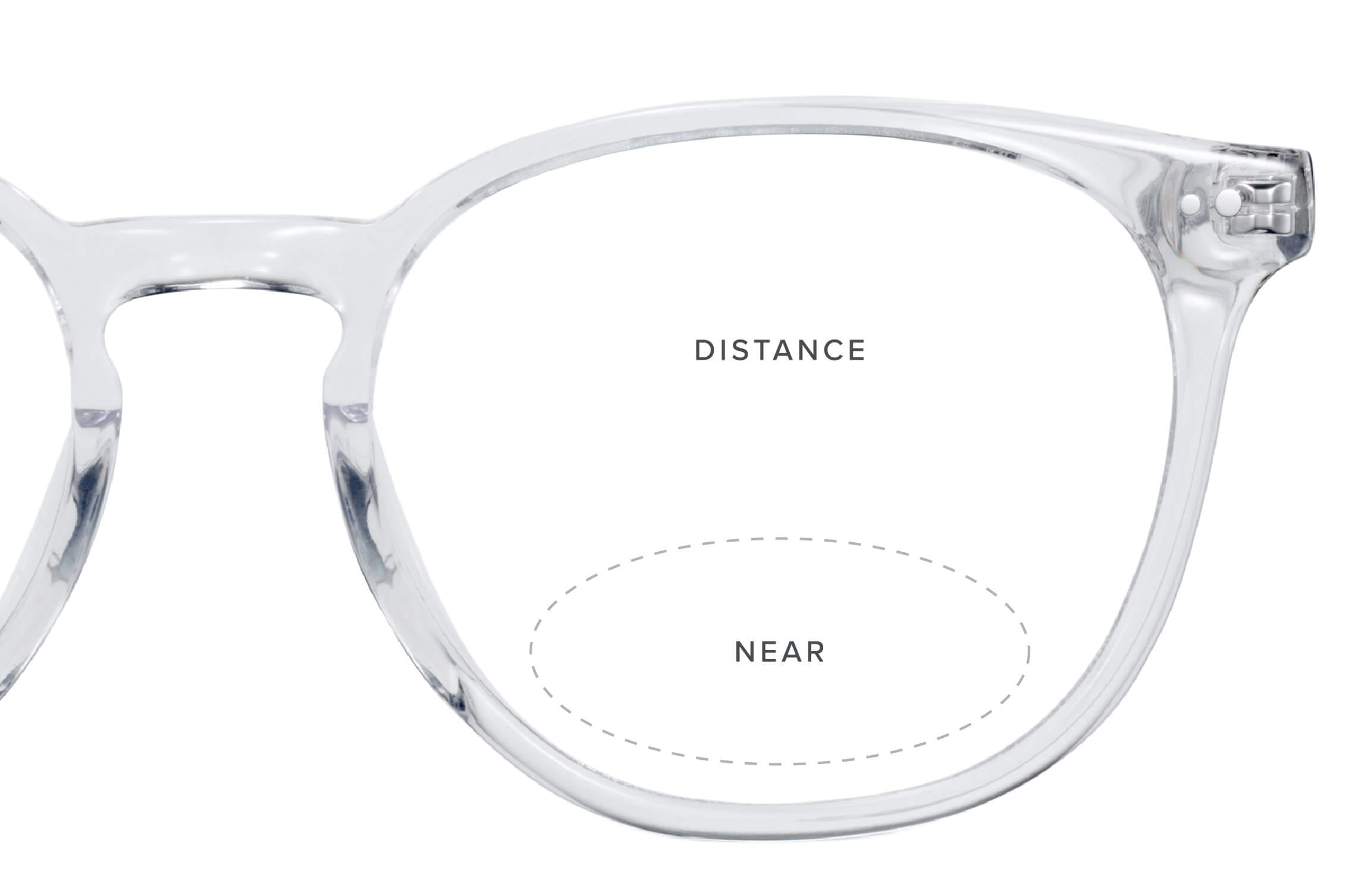
Anti-fatigue lenses are single-vision lenses with a small power boost baked into the lower portion of the lens. That boost relaxes your eye muscles when you’re focusing on something close — your phone, a book, a screen — so your eyes don’t have to work as hard all day. Warby Parker positions them as the in-between option for people who aren’t ready for full progressives but whose eyes are getting tired from modern screen time.
- Anti-fatigue glasses feature a small power boost in the lower portion of the lens designed to lessen eye fatigue when shifting from near to far.
- The boost area does not have bifocal lines, but works somewhat similarly.
- No additional prescription is needed, which is nice because you may not get that prescription at most places.
- If you have this in your prescription, Warby Parker was the only place we could reliably find anti-fatigue lenses online.
We’d describe the anti-fatigue lenses as almost a type of bifocal without the lines. They are extremely helpful in reducing eye strain and headaches from looking at screens or reading for extended periods of time. They aren’t technically multifocal, progressive, or even standard single-vision lenses — they simply combine your close-up prescription with a little magnification.
These are also a step beyond blue light glasses (read about our best blue light glasses).
How much do Warby Parker anti-fatigue lenses cost in 2026?
As of 2026, anti-fatigue lenses are a $100 upgrade on top of your frame. Warby Parker frames start at about $95 with standard single-vision prescription lenses included, so a complete pair of anti-fatigue glasses lands around $195 before any progressive, light-responsive, or premium frame upgrades. There’s no separate prescription or exam fee for the anti-fatigue boost itself — it’s an add-on at checkout. For the daily eye comfort we got out of them, that $100 has been one of the easier upgrades to justify.
Anti-fatigue lenses vs. blue light glasses: what’s the difference?

Short version: blue-light glasses filter light; anti-fatigue lenses change how your eyes focus. Blue-light glasses primarily filter out the blue light emitted by screens, which is thought to contribute to digital eye strain and disrupted sleep. Anti-fatigue lenses take a more physical approach by adding a power boost that supports your eye’s natural focusing ability, reducing the muscle fatigue you get during long close-up tasks like reading or working on a computer.
In practice, if your problem is tired, achy eyes after a long day of near work, anti-fatigue did more for us than blue-light alone. If your concern is mostly glare or trouble sleeping after screen time, blue-light filtering (a cheaper +$50 add-on, and frequently free in promos) may be all you need. You can also stack both on the same lens.
What we liked about Warby Parker’s anti-fatigue glasses
- If you spend a lot of time looking at things up close like your computer, or for me, my Kindle 🙂 it does not tire your eyes out.
- My eyes used to be completely exhausted after the day and it was difficult for me even to read anything at the end of the day. With the Warby Parker anti-fatigue glasses, I do not have this problem anymore.
- This is a great step between normal glasses and bifocals, and I love that they don’t have the lines that bifocals have.
- You can wear these glasses to see things up close and far away, so you can wear them all day — you don’t have to keep them around only for reading.
- They’re a $100 add-on, which is absolutely worth the additional eye comfort every day to me.
Warby Parker anti-fatigue glasses turned out to be the rare upgrade that quietly fixed a daily annoyance. They provide comfort for both close-up and far-away vision, without the visible lines of bifocals, and at $100 they’re an affordable way to keep your eyes comfortable all day long.
What other people are saying
Our experience lines up with the broader feedback. Across user reviews and forums, the pattern is consistent: most people report less eye fatigue and fewer headaches once they adapt, with a smoother focus shift between screens and the room around them. The recurring complaint is the same one we hit — the initial adjustment period is real, but manageable, and reviewers who stuck it out generally say it was worth it. A smaller group who don’t do heavy near work found the boost unnecessary, which tracks with who these are actually for.
What we’d skip: the adjustment period
Oh man, the biggest con with Warby Parker’s anti-fatigue glasses is the adjustment period.
The first 3-ish weeks I wore these glasses, I would get vertigo so easily looking up from my phone or Kindle. It was hard to have my eyes adjust from side to side.
I was about to give up on them, but thankfully, Warby Parker sent me an email saying they take a few weeks to adjust. Warby Parker also gave the following three tips:
- When looking side to side, move your head instead of your eyes.
- Make sure digital devices are slightly below your line of sight.
- Take 20-minute screen breaks throughout the day.
These tips were helpful, but honestly, just wearing them for a few weeks let my eyes acclimate. Now, I don’t think I could go back! They are that helpful to my eye strain throughout the day.
When I experienced the most issues
I experienced the awkward adjustment issues when changing what I was looking at. For example, looking at the Kindle and then looking up at the TV, it took my eyes a moment to adjust. For a moment, I thought they sent me bifocals instead of anti-fatigue lenses.
Is the adjustment period a big deal?

No, not at all. While the adjustment period wasn’t perfect, it was doable. I just wish I’d known about it before I started, so I wasn’t caught off guard. If you go in expecting two to three slightly weird weeks, it’s a non-issue.
Who should buy them (and who should skip)
Buy them if: you spend 6+ hours a day on screens, your eyes feel fried by evening, you read a lot up close, or you’re not quite ready for progressives but want relief now. Skip them if: your eyes already feel fine after a long day, you barely use screens, or you’d rather save the $100 and try a cheaper blue-light add-on first to see if that’s enough.
Warby Parker anti-fatigue glasses review: the final verdict
Designed for long days at the computer - or any screen - is a great option on Warby Parker glasses.
If you’re a glasses wearer who deals with visual fatigue, we’d absolutely recommend trying Warby Parker’s anti-fatigue lenses on your next pair. Like a lot of people, we look at computer screens and other digital screens for most of the day, and these help limit eye strain and keep our eyes focused from morning to night.
They feature a small boost of power in the lower lens that lessens eye strain without any additional prescription, and they’re only an extra $100. There’s an adjustment period, yes — but it’s worth pushing through for the daily payoff. If you suffer from digital eye fatigue, Warby Parker anti-fatigue glasses may be exactly what you need. We Tried It rating: 4.3/5.
Want to check out another great brand? Check out our Look Optic review, too.
Frequently asked questions
Does Warby Parker offer anti-fatigue lenses?
Yes. Warby Parker offers anti-fatigue lenses as a $100 upgrade on most of its frames. In our testing they were one of the few places we could reliably get anti-fatigue lenses online, and they ship them on a standard single-vision prescription with no extra exam required.
Are Warby Parker anti-fatigue lenses worth it?
For heavy screen users, yes. After wearing them daily for months, we found the $100 upgrade clearly reduced our end-of-day eye fatigue and headaches. If your eyes already feel fine after a long day, you can probably skip it or try the cheaper blue-light add-on first.
Do anti-fatigue glasses actually work?
In our experience, yes — but not magically. The small power boost in the lower lens genuinely relaxes your focusing muscles during near work, so your eyes feel less worn out by evening. The effect is most noticeable if you do a lot of close-up tasks, and there’s a 2–3 week adjustment period before it feels normal.
How long does it take to adjust to anti-fatigue lenses?
For us, about two to three weeks — many people adjust faster. Early on, glancing quickly from a screen up to something far away caused mild vertigo. Moving your head instead of just your eyes, keeping devices slightly below eye level, and taking regular screen breaks all helped — and after a few weeks the adjustment disappeared entirely.